Read it, mark it up, keep every version
Highlight, draw with a pen or Apple Pencil, add notes, and read in Day, Sepia or Night. Flourish PDF keeps your original and your last 15 saves, outside the PDF.
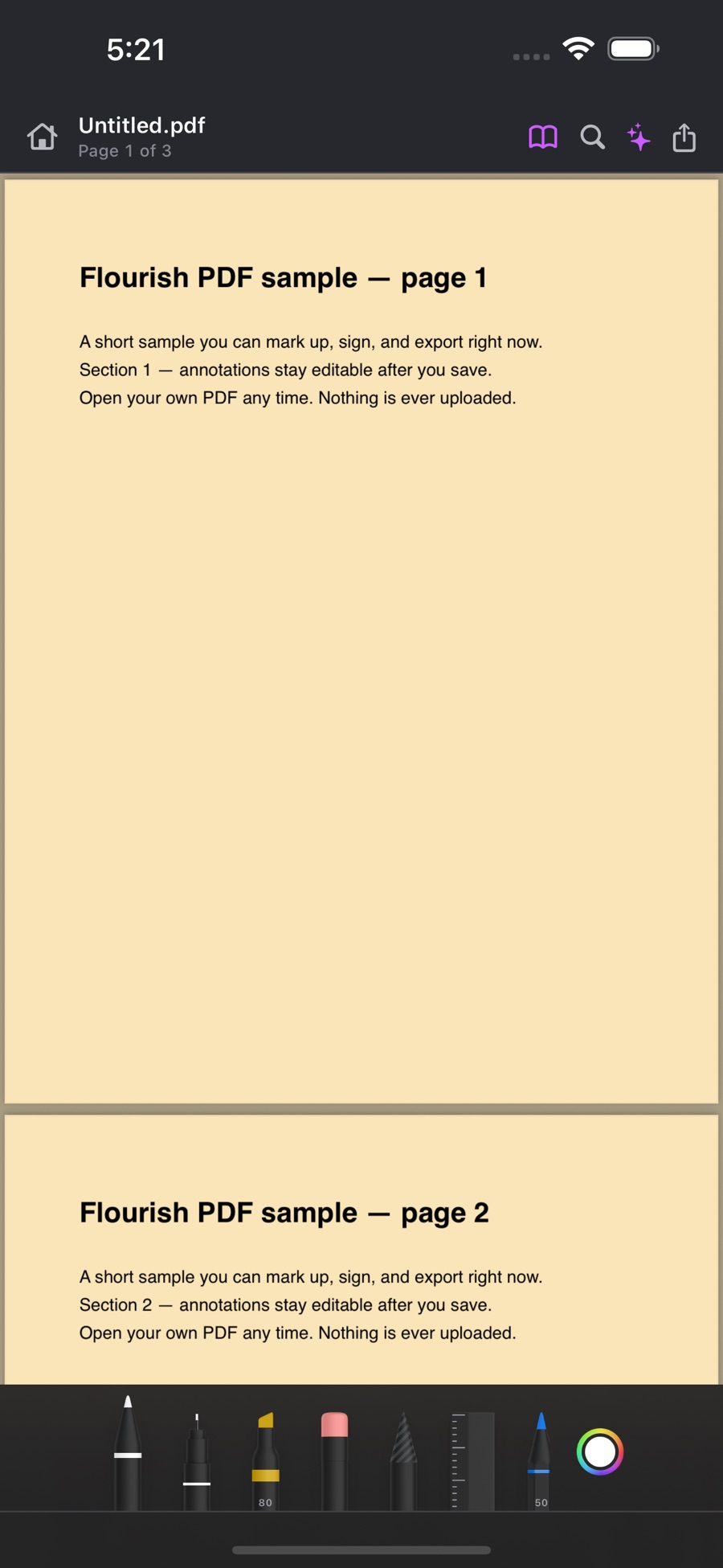
Real capture from the App Store listing.
What you can do
Read, annotate & compare, tool by tool
The plan that unlocks each tool is on its label; the chips show which platforms have it today.
Read, zoom and searchFree
On Mac and iPad a results list shows every match with the sentence around it.
- Mac
- iPhone & iPad
- Windows
- Android
Day, Sepia and Night reading themesFree
- Mac
- iPhone & iPad
- Windows
- Android
Highlight textFree
Android draws a highlight rectangle rather than snapping to text.
- Mac
- iPhone & iPad
- Windows
- Android (partial)
Draw and handwrite with a pen, finger or Apple PencilFree
Pen colour and width choices are on the way.
- Mac
- iPhone & iPad
- Windows
- Android
Sticky notesFree
- Mac
- iPhone & iPad
- Windows
- Android — soon
Read aloudFree
On a scan it uses your OCR allowance first.
- Mac
- iPhone & iPad
- Windows
- Android
Version history: your original plus the last 15 savesFree
Kept on the device, outside the PDF.
- Mac
- iPhone & iPad
- Windows — soon
- Android
PrintFree
- Mac
- iPhone & iPad
- Windows
- Android — soon
Compare two PDFsPro
Shows added and removed words per page, with both documents side by side; visual difference highlighting is on the way.
- Mac (partial)
- iPhone & iPad (partial)
- Windows (partial)
- Android — soon
Accessibility audit and reportPro
Checks title, language, text and outline and exports a report; full PDF/UA tagging is on the way.
- Mac (partial)
- iPhone & iPad (partial)
- Windows (partial)
- Android — soon
On the way
Not shipped yet
We list these so you know what to expect — and we do not sell them until they work.
Underline, strikeout, shapes and calloutsSoon
- Mac — soon
- iPhone & iPad — soon
- Windows — soon
- Android — soon
Measure distance, area and perimeterSoon
- Mac — soon
- iPhone & iPad — soon
- Windows — soon
- Android — soon
Why Flourish
Private by architecture, not by promise
Most PDF apps quietly send your file to a server to run OCR, conversion, or AI. Flourish PDF has no document upload endpoint at all — which makes it a genuine fit for legal, medical, financial and other sensitive documents.
No upload endpoint
The service has no route that accepts a document. Your file cannot be sent to us because there is nowhere to send it.
OCR and scanning on the device
Apple Vision, Google ML Kit and Windows' own recognizer read the page on your hardware.
AI on the device
Summaries and questions run on Apple Intelligence or Google's on-device models — no credits, no cloud fallback.
Only an account and a plan on our side
Your email, a user id, and which plan is active. Never a PDF, its text, or what you asked about it.
Try read, annotate & compare free
Download Flourish PDF. Every tool is visible from the first launch; a paid plan unlocks the premium ones.