Edit a PDF without sending it anywhere
Add text boxes, take over an existing line and retype it, and delete original content. Everything you place stays editable until you save, and the file never leaves your device.
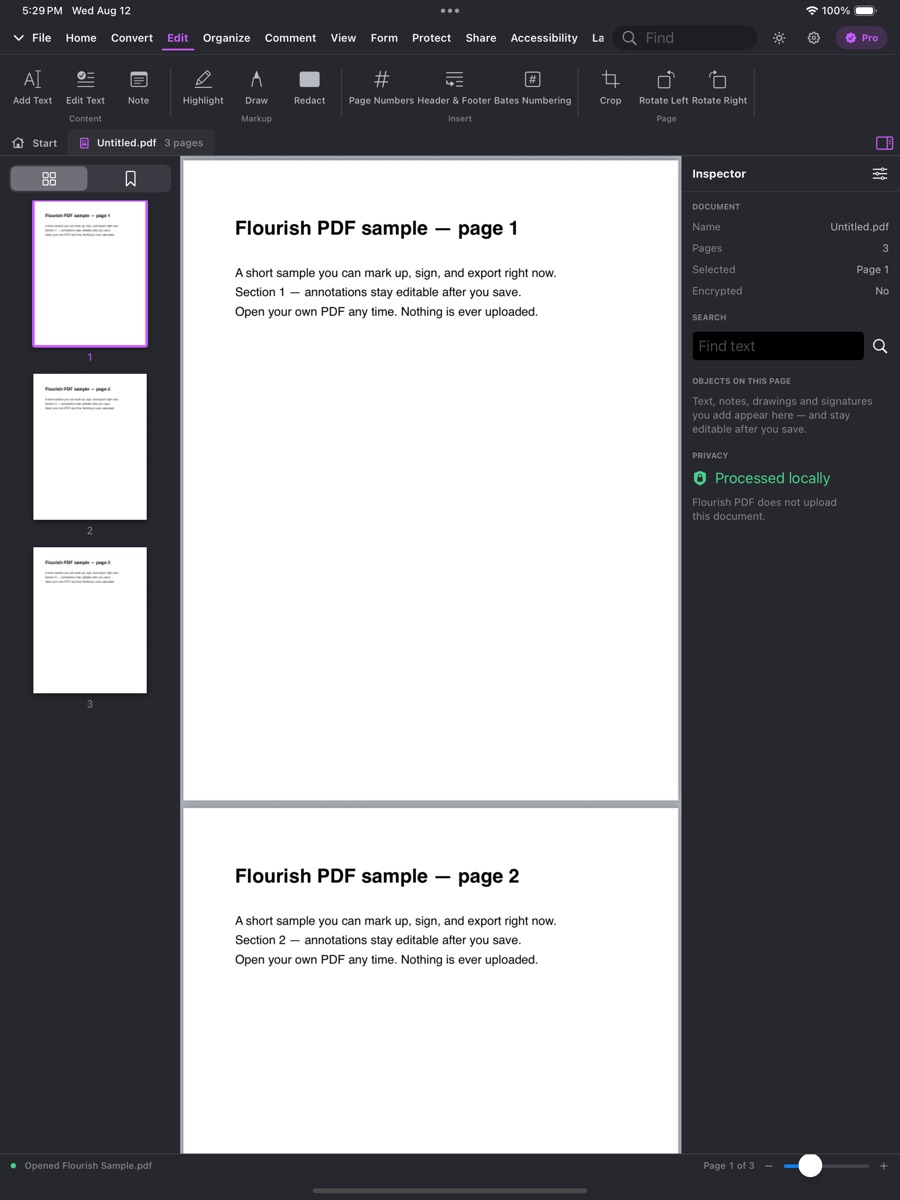
Real capture from the App Store listing.
What you can do
Edit PDF, tool by tool
The plan that unlocks each tool is on its label; the chips show which platforms have it today.
Add text anywhere on a pageFree
Type a text box onto any page, then move, resize and restyle it.
Font and colour controls vary by platform.
- Mac
- iPhone & iPad
- Windows
- Android
Marks you add stay editableFree
Everything you place is an object until you save: move, resize, rotate, group and undo it.
- Mac
- iPhone & iPad
- Windows
- Android
Edit text that is already in the PDFPro
Take over a line of existing text and retype it, matched to its font.
Line by line, on Mac and Apple mobile devices. Paragraph reflow is on the way.
- Mac (partial)
- iPhone & iPad (partial)
- Windows — soon
- Android — soon
Select and delete original text, images and shapesPro
Not on iPhone yet.
- Mac
- iPhone & iPad (partial)
- Windows
- Android
On the way
Not shipped yet
We list these so you know what to expect — and we do not sell them until they work.
Replace, resize and crop images in a PDFSoon
- Mac — soon
- iPhone & iPad — soon
- Windows — soon
- Android — soon
Paragraph reflow while editing textSoon
- Mac — soon
- iPhone & iPad — soon
- Windows — soon
- Android — soon
Add and edit linksSoon
- Mac — soon
- iPhone & iPad — soon
- Windows — soon
- Android — soon
Why Flourish
Private by architecture, not by promise
Most PDF apps quietly send your file to a server to run OCR, conversion, or AI. Flourish PDF has no document upload endpoint at all — which makes it a genuine fit for legal, medical, financial and other sensitive documents.
No upload endpoint
The service has no route that accepts a document. Your file cannot be sent to us because there is nowhere to send it.
OCR and scanning on the device
Apple Vision, Google ML Kit and Windows' own recognizer read the page on your hardware.
AI on the device
Summaries and questions run on Apple Intelligence or Google's on-device models — no credits, no cloud fallback.
Only an account and a plan on our side
Your email, a user id, and which plan is active. Never a PDF, its text, or what you asked about it.
Try edit pdf free
Download Flourish PDF. Every tool is visible from the first launch; a paid plan unlocks the premium ones.